Product update · Launch
The new Workspace platform and mobile app are live
Brief with AI, follow every request through four stages and approve work from your phone.

Co-founder and CEO
· 2 min read
Key takeaways
- The new Workspace platform and mobile app launched on 1 October 2026.
- AI helps you turn a short message into a complete brief.
- Every request moves through a four-stage tracker, so you always know where it stands.
- Comments, revisions, approvals and source files all live in one place.
- The app is free on iPhone and Android and stays in sync with your web dashboard.
Contents
On 1 October we launched the new Workspace platform and our mobile app. It's the biggest change to how clients work with us since we started in 2015, and I want to explain why we built it the way we did.
Across 5,000 projects, 60% of briefs reached us incomplete, and the most common question we got from clients was some version of “where is this up to?” Neither is a design problem. Both are things good software can fix. So that's where we started.
Brief in minutes, with AI
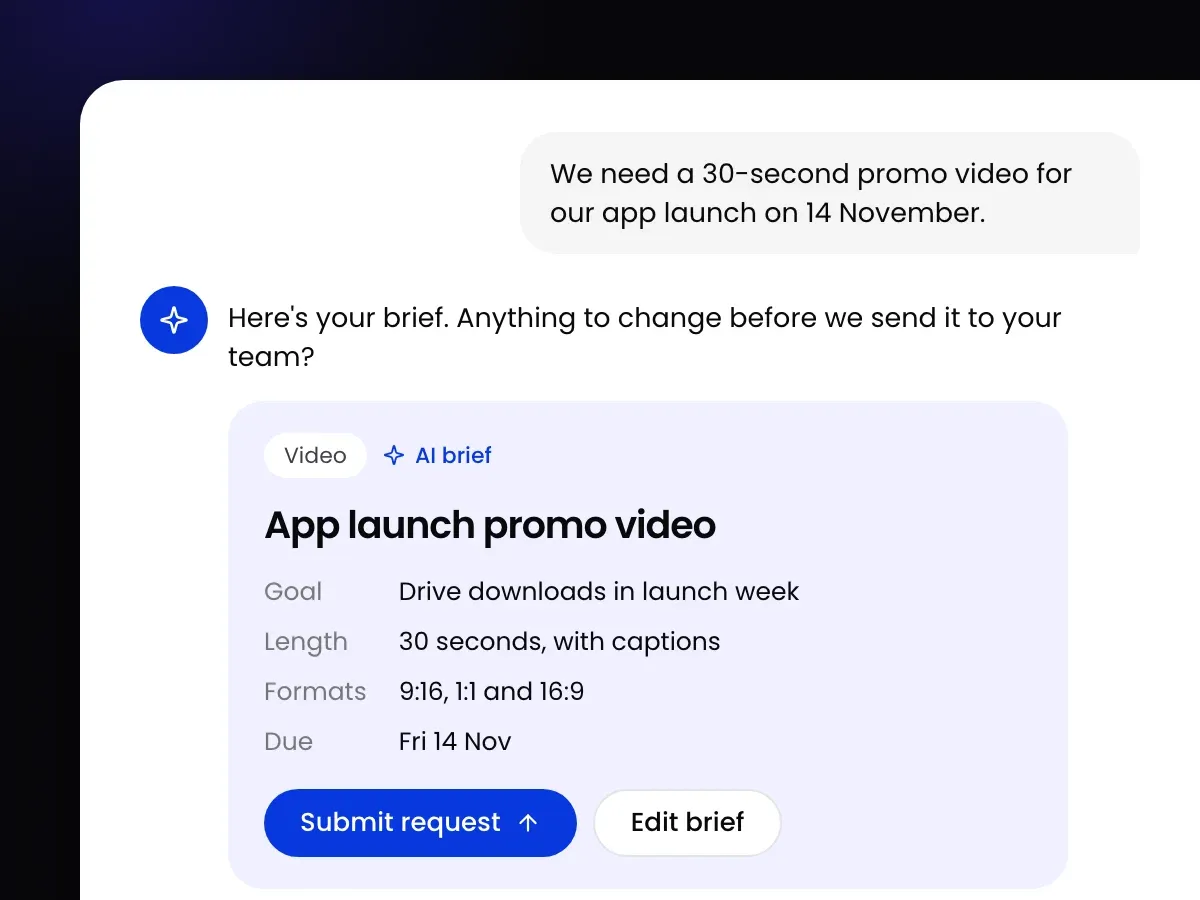
Chat with AI about what you need, adding links or files, and it turns the conversation into a complete brief. It asks for what's missing, such as sizes, copy or a deadline, before the work starts rather than three days in. Your project manager then assigns the right creatives.
See where every request stands
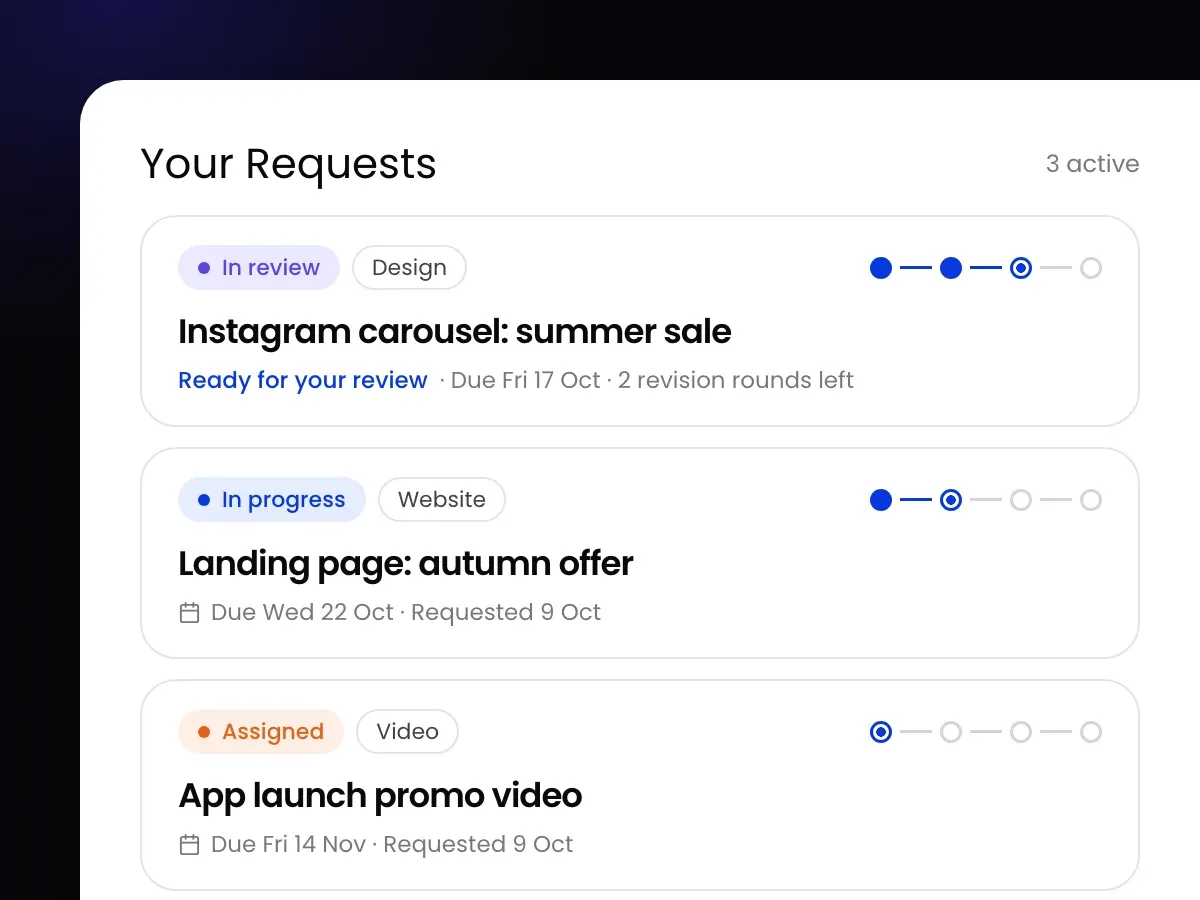
Every request moves through four stages: assigned, in progress, your review and completed. Open any request to see its stage, and you'll be told when work is ready for your review. No more chasing.
Review, revise and approve in one place
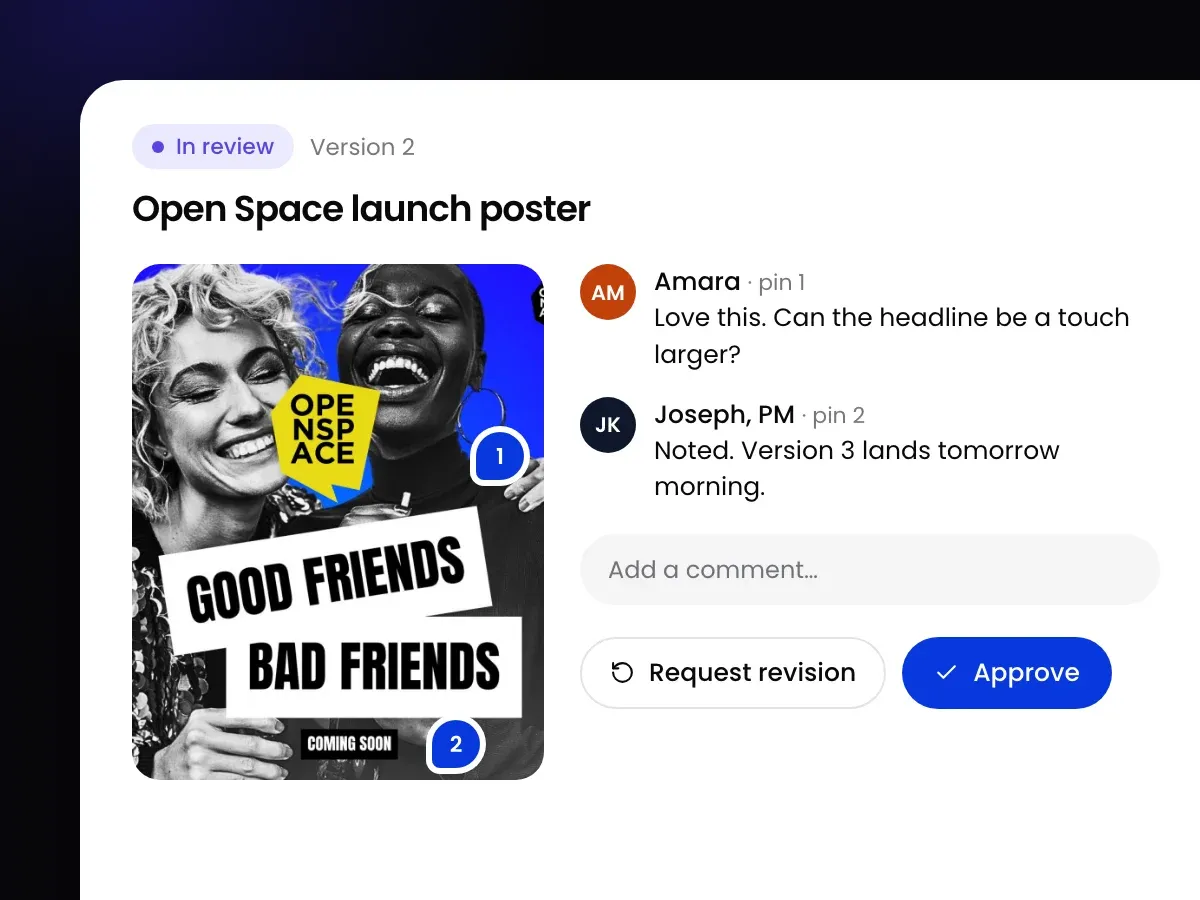
Pin comments on the work, ask for a revision or approve it, all in the same place. Feedback stays with the work instead of scattered across email and WhatsApp, which is the fastest way we know to cut revision rounds.
Your whole team, your plan and your files
- Your whole team: invite colleagues to brief and review together.
- Plan usage: see how many requests are active, queued and used this month.
- Source files: request the editable source files for anything you approve. It's all yours.
The Workspace app for iPhone and Android
The mobile app puts your creative team in your pocket. Brief new work with AI, follow each request through all four stages, comment and approve on the go, and message your project manager without a long email thread. It stays in sync with your web dashboard, and you sign in with the same email and password.
Download it free on the App Store or Google Play, or read more on the app page.
Behind the scenes
We rebuilt our side too. Our creatives now see their briefs, deadlines and ratings in one dashboard, and our operations team can see every workstream and catch anything that has waited too long. You won't see those screens, but you'll feel them in the turnaround.
Existing clients can log in now. If you're new to Workspace, see the plans or book a call and we'll show you around.
Questions, answered.
Is there a Workspace Global mobile app?
Yes. The Workspace app is free on iPhone and Android. You can brief new work with AI, track every request through four stages, review and approve work, and message your project manager.
When did the new Workspace platform launch?
The new Workspace client platform and mobile app launched on 1 October 2026.

About the author
Co-founder and CEO
Sydney Sam is co-founder and CEO of Workspace Global, which has given growing teams on-demand creative support since 2015. Sydney writes about creative operations, leadership and building teams across the UK and Ghana.
LinkedInKeep reading

Article
60% of creative briefs arrive incomplete: what our request data shows
60% of briefs arrive incomplete, the median turnaround is 3 days and requests take up to 4 revision rounds. What our data shows, and what to do about it.
Sydney Sam · · 3 min read
Article
Creative brief template: how to write a brief that gets it right first time
A free creative brief template, and what to put in each section so the first draft lands close and revision rounds get smaller.
Sydney Sam · · 3 min read
Article
What is a design subscription, and is it worth it?
A design subscription gives you an ongoing creative team for a fixed monthly fee. How it works, what “unlimited” really means, and who it suits.
Sydney Sam · · 3 min read